
What is website and web application? key Differences Explained with Real Example It is one of the most frequently asked questions when people start a business, study web development, or work on their projects on the internet. Despite being used as synonyms, these terms are different. Website serves as informational tool, while the web application lets users interact and do certain things online.
Thank you for reading this post, don't forget to subscribe!When you visit a website of any company or use Google Docs, online banking, and Gmail, you have already seen the difference. In this article, you will find out all the information about websites and web applications in easy to understand language with examples.
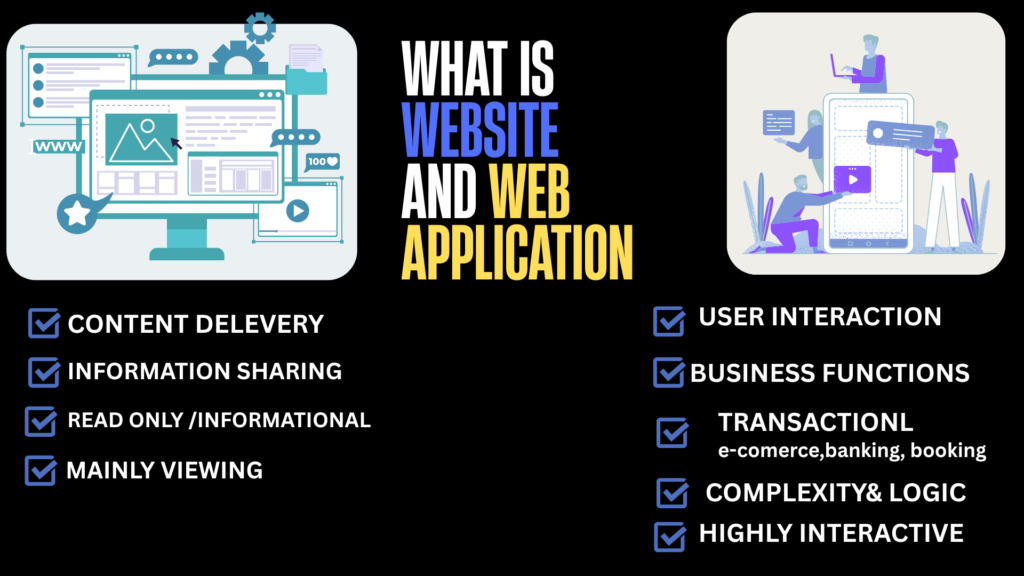
What Is a Website?
A website can be described as a series of web pages linked under one domain name and accessible via the internet..
The primary function of a website is to offer information to visitors..
For instance, a restaurant website would have:
- Home Page
- About Us
- Services
- Menu
- Contact Page
Users can look through the content on the site; however, they cannot
Examples of Websites
- Business websites
- Personal blogs
- News websites
- Portfolio websites
- Education websites
Imagine the Website as an electronic brochure, which gives people information about a company, product, or service.
What Is a Web Application?
Web applications are software programs that function through a web browser.
Contrary to websites, one can perform tasks such as:
• Log in
• Upload files
• Send messages
• Pay
• Edit files
• Make appointments
Web applications interact with databases and process user requests in real-time.
Examples of Web Applications
- Gmail
- Google Docs
- Trello
- Canva
- Online Banking
A website may be compared to a library wherein one reads books, whereas a web application is analogous to an office where tasks can be performed.
How Does a Website Work?
There are several key elements that make up a website.
Domain Name
Website’s domain, for instance, example.com.
Web Hosting
Where all website’s files are stored and published online.
Frontend
How the website looks on the visitor’s end.
Browser
Browsers like Chrome, Firefox, Safari, and Edge are used to view the website.
As soon as the user types the website’s address into his browser, he is asking the hosting server for information about the webpage.
How Does a Web Application Work?
A web application has more advanced functionality.
It includes:
The web application is much more functional.
It has:
• Authentication of users
• Database
• Database
• Server on the back end
• Server on the back end
• APIs
• Interactive user interface
For instance, once you log into your Gmail account:
1. You enter your details.
2. The server authenticates your account.
3. Messages from the database are pulled up.
4. You can then send, read, delete, and file messages immediately. All this happens automatically.
Website vs Web Application: What’s the Difference?
| Website | Web Application |
| Provides information | Does some work |
| Low interaction | High interaction |
| No login usually needed | Login usually needed |
| Simple development | Complex development |
| Less maintenance | More maintenance |
| Quick development | Need to develop the back end |
| Primarily read-only | Content creation allowed by users |
In other words:
Website allows the user to read data; web application allows the user to do something.
Types of Websites
Static Website
Content rarely changes.
Example:
A personal portfolio.
Dynamic Website
Updates take place continually through databases.
Example:
A news website.
Business Website
It is used to demonstrate services and generate leads.
E-commerce Website
Facilitates purchasing of products by clients over the internet.
Examples of this CMS are online stores that sell clothes, gadgets or even groceries.
Portfolio Website
Suitable for use by photographers, designers and developers among others.
Examples of Websites and Web Applications
Website Examples
• Business Company Website
• School Website
• Blog
• Travel Website
• News Portal
Web Application Examples
- Gmail
- Google Docs
- Zoom Web
- Canva
- Slack
- PayPal
Do you notice that all these applications demand interactions from the user and do not just involve reading?
Benefits of Having a Website
A website can offer several benefits for both individuals and organizations.
• Establishes credibility on the internet
• Operates 24 hours a day
• Increases brand awareness
• Aids in lead generation
• Contributes to digital marketing
• Enhances SEO
• Highlights products and services
For most organizations, a website is often the first point of contact for customers.
Benefits of a Web Application
Web applications take things a notch higher as they offer users the ability to perform tasks on the Internet.
Some advantages are:
• Greater customer involvement
• Instant messaging
• Online booking
• Secure logins
• Data management
• Automation
• User customization
If your clients require interaction with your site, then a web application might just be what you need.
Which One Should You Choose?
Your choice will depend on what you are trying to achieve.
Use a website if your aim is to:
• Disseminate information
• Advertise your business
• Write blogs
• Showcase services
• Increase brand recognitionChoose a
web application if you need users to:
• Account creation
• User login
• Data management
• Service booking
• Online payment
• Collaboration with other people
There are some companies that first create a website and then move to developing a web app later on.
Frequently Asked Questions
Is every website a web application?
No. Most websites only provide information, while web applications allow users to interact with the system.
Can a website become a web application?
Yes. Features such as user accounts, dashboards, booking systems, and payment gateways can transform a website into a web application.
Which costs more to build?
A web application is generally more expensive because it requires backend development, databases, security, and ongoing maintenance.
Is WordPress a website or a web application?
WordPress is a content management system (CMS) used to build websites. With plugins and custom development, it can also power web applications.
Conclusion
To be able to understand what is website and web application. It is very important to understand their meaning before launching any kind of website or web application. Both have their own unique characteristics. Website can be used when you need to share information or promote yourself or increase online visibility. But when you need something where you can interact and do various activities and even manage your data, then web application would be a better choice. It would depend on your requirements whether you want to make a website or a web application.